

A shared inbox is one mailbox that a team works on together, and a unified inbox is one view that a single person uses to see all of their own accounts and channels. They sound alike and solve opposite problems: the shared inbox answers "who handles this message?", the unified inbox answers "what do I look at first?" Pick by counting people and places. Many people on one address means a shared inbox. One person across many accounts means a unified inbox.
What a shared inbox is
A shared inbox is a single address, like support@ or sales@, that several people can open, read and answer. Microsoft describes the Exchange Online version as a shared mailbox: users with permission read and send from it, and nobody signs in to the mailbox itself. Dedicated tools add what a plain shared mailbox lacks, namely assignment, internal comments and reporting. If you are weighing those tools, our comparison of shared inbox software and the Nolario versus Front page go into the details.
What a unified inbox is
A unified inbox merges the mail and messages of one person into one list. Canary Mail frames it the same way: a unified inbox collects several of your own accounts in one view, while a shared inbox is about a team collaborating on one address. The better ones go beyond merging and rank the list, so the message with a deadline does not sit under a newsletter. The longer explanation is in what a unified inbox is, and the apps are compared in the best unified inbox apps.
The comparison in one table
| Feature | Shared inbox | Unified inbox |
|---|---|---|
| Who uses it | A team, on one address | One person, across accounts |
| Main question it answers | Who handles this? | What comes first? |
| Assignment and internal notes | Yes | No |
| Shows several accounts in one view | No | Yes |
| Typical example | support@ or sales@ | Gmail, Outlook and Slack in one feed |
Which one do you need?
Count how many people touch the same messages. If two or more people answer the same address and you have ever sent a customer a duplicate reply, you need a shared inbox. If only you read your mail but it lives in Gmail, Outlook and Slack and something important slips between them, you need a unified inbox. Plenty of companies need both: a shared inbox for the team address and a unified inbox for each person's own attention. They do not compete.
Where Nolario fits
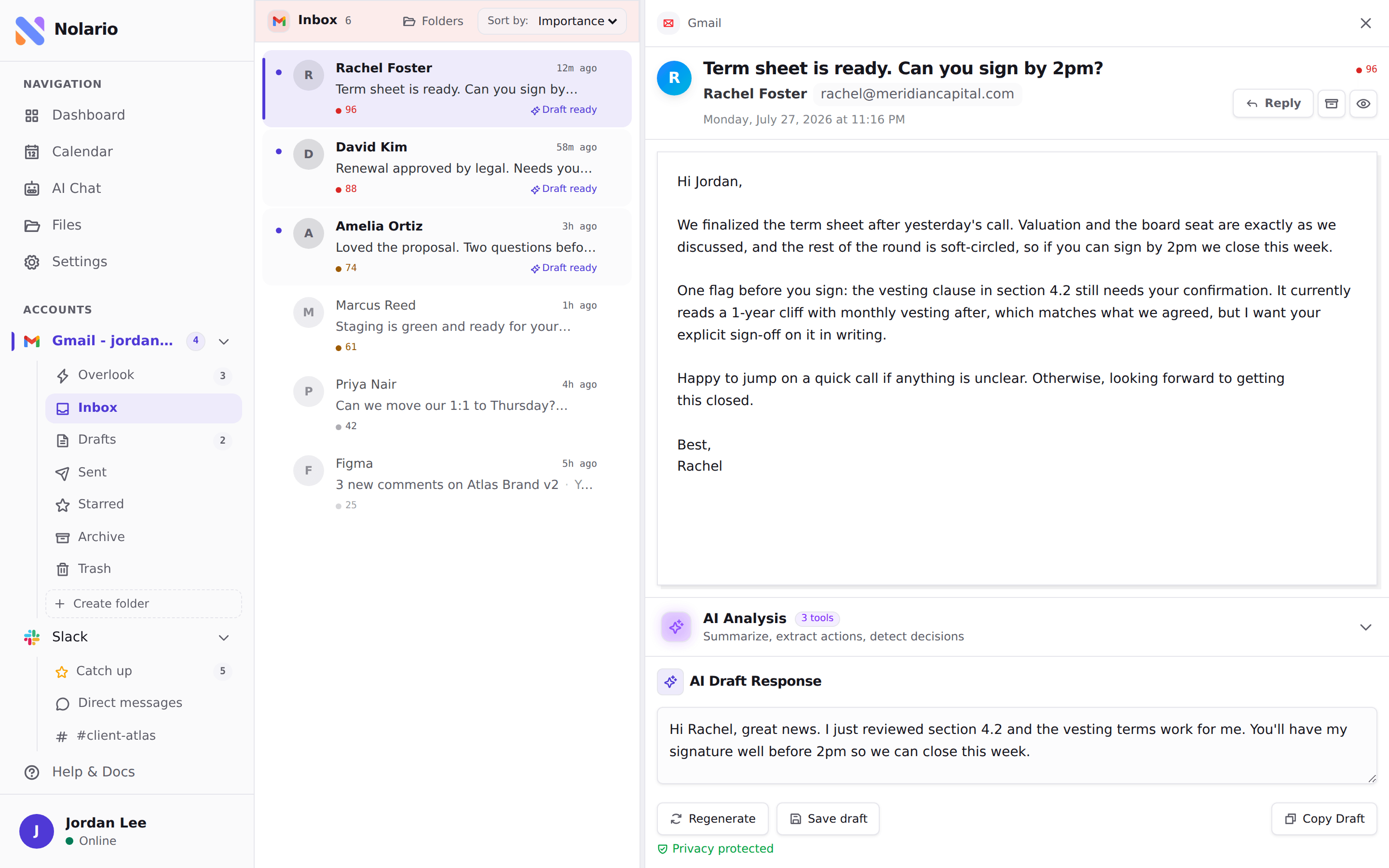
Nolario is a unified inbox, not a shared one. It pulls Gmail, Outlook, Slack, Microsoft Teams and Google Calendar into one feed, scores every item for importance and drafts replies in your voice. It never sends anything, you do. It has no shared queue or assignment, so it does not replace a tool for a support team, and Teams chats only work for work and school accounts. Access today is by waitlist; see integrations and pricing.
