

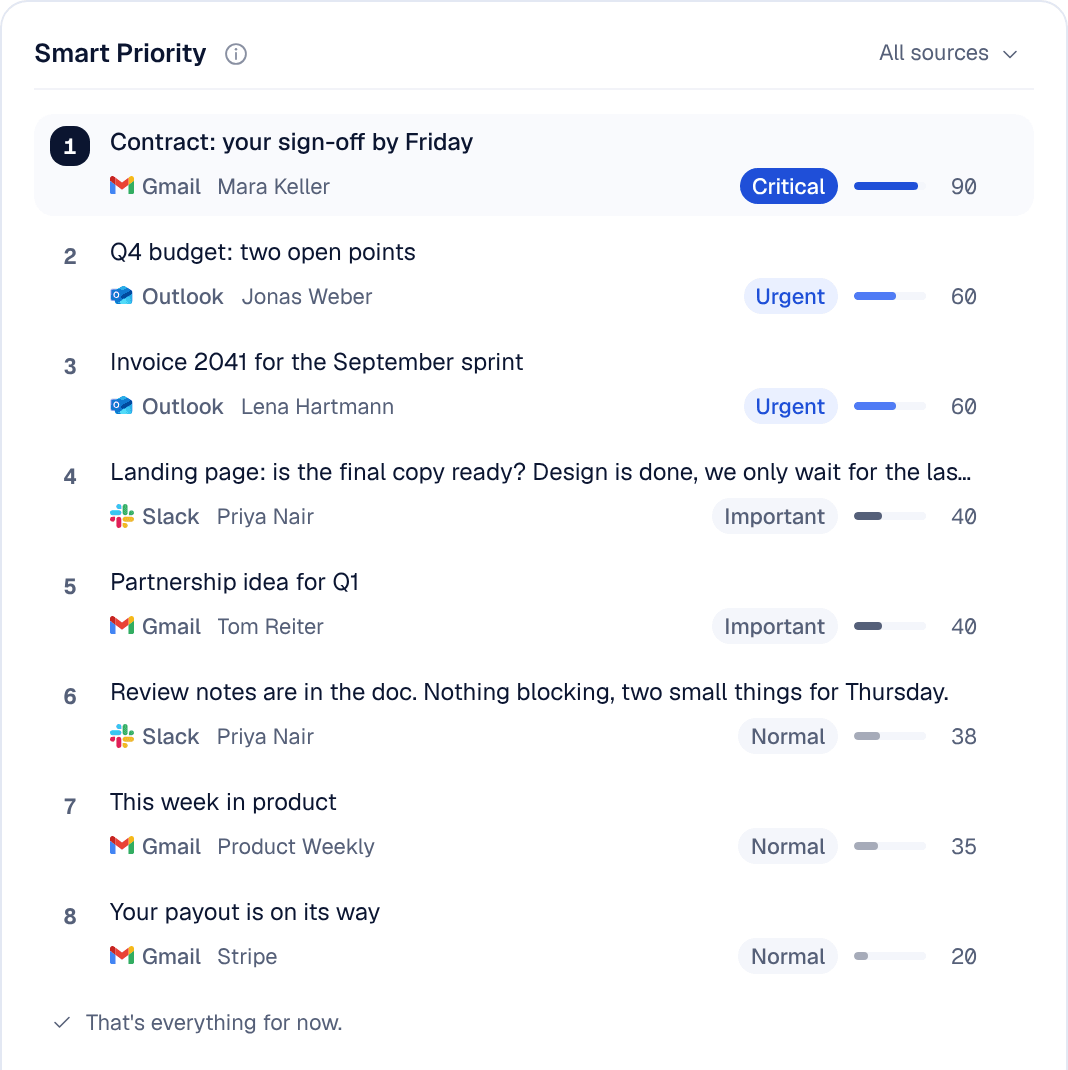
Both Nolario and Superhuman promise to give you time back. They just attack the problem from opposite ends. Superhuman makes the mailbox you already have faster to get through. Nolario changes what you look at, pulling every channel into one feed and using AI to decide what deserves your attention first.
Here is an honest, founder-focused comparison, where each one wins, and how to choose.
At a glance
| Feature | Nolario | Superhuman |
|---|---|---|
| Email (Gmail / Outlook) | Yes | Yes |
| Slack, Teams & calendar in one feed | Yes | No |
| AI importance scoring per message | Yes | No |
| AI drafts in your voice | Yes | Yes |
| Keyboard-first speed | Yes | Best-in-class |
| Price | €29/mo (waitlist) | ~$30/mo |
1. Channels: one mailbox vs everything
This is the core difference. Superhuman is a beautiful email client for Gmail and Outlook. If a decision is waiting in Slack, a customer is unhappy in Teams, or a meeting is about to start, Superhuman does not see it.
Nolario treats email as one channel among many. Gmail, Outlook, Slack, Teams and calendar land in a single feed, so "what needs me right now" is answered across all of them at once, not one app at a time.
2. AI: writing faster vs knowing what matters
Superhuman's AI is genuinely good at composing: summaries, instant replies, tone adjustment. Since Grammarly renamed itself Superhuman in October 2025, Mail is also part of a wider suite that includes Grammarly. But you still decide what to open, and in a busy inbox that decision is where the time goes.
Nolario's AI is aimed at triage. Every incoming item gets an importance score, so the term sheet and the at-risk account rise to the top and newsletters sink. You open fewer things, in the right order.
3. Drafts in your voice
Both write for you. Superhuman drafts polished email replies. Nolario learns from what you have actually sent and drafts in your voice across every channel it connects, then lets you edit before anything goes out. If you write a lot outside email, that breadth matters.
4. Speed and feel
Credit where due: Superhuman's keyboard-first UX is still the benchmark, and long-time users are fast in it. Nolario is quick and keyboard-friendly too, but its speed comes from a different place, showing you less, ranked, rather than helping you blast through everything.
5. Price
Superhuman Mail runs about $30/month on Starter, billed monthly, at the time of writing (third-party price check), and AI drafting sits on the Business plan at $40 billed monthly. Nolario starts at €29/mo, with access by waitlist today, and joining the waitlist costs nothing.
Who should pick which?
Good
- Choose Nolario if your urgent work is spread across email, Slack, Teams and calendar
- Choose Nolario if you want AI to tell you what to open first, not just help you type
- Choose Nolario if one ranked list across every channel is the point
Not so good
- Choose Superhuman if you live in a single Gmail/Outlook mailbox and want the fastest email UX
- Choose Superhuman if keyboard-first email speed is your single most important feature
- Choose Superhuman if you are happy paying for a mature, polished product today
Neither is "better" in the abstract. Superhuman is the best answer to "my email is slow." Nolario is the best answer to "important things are hiding in too many apps." Most founders we talk to have the second problem.
