

Most founders do not have an email problem. They have a fragmentation problem. The urgent stuff is real, but it is spread across two inboxes, Slack, Teams, calendar and a pile of DMs, each buzzing on its own schedule. No single place tells you what actually needs you, so you check everything, all day, just in case.
This guide is a practical, 5-step system to escape that, whether or not you ever use Nolario.
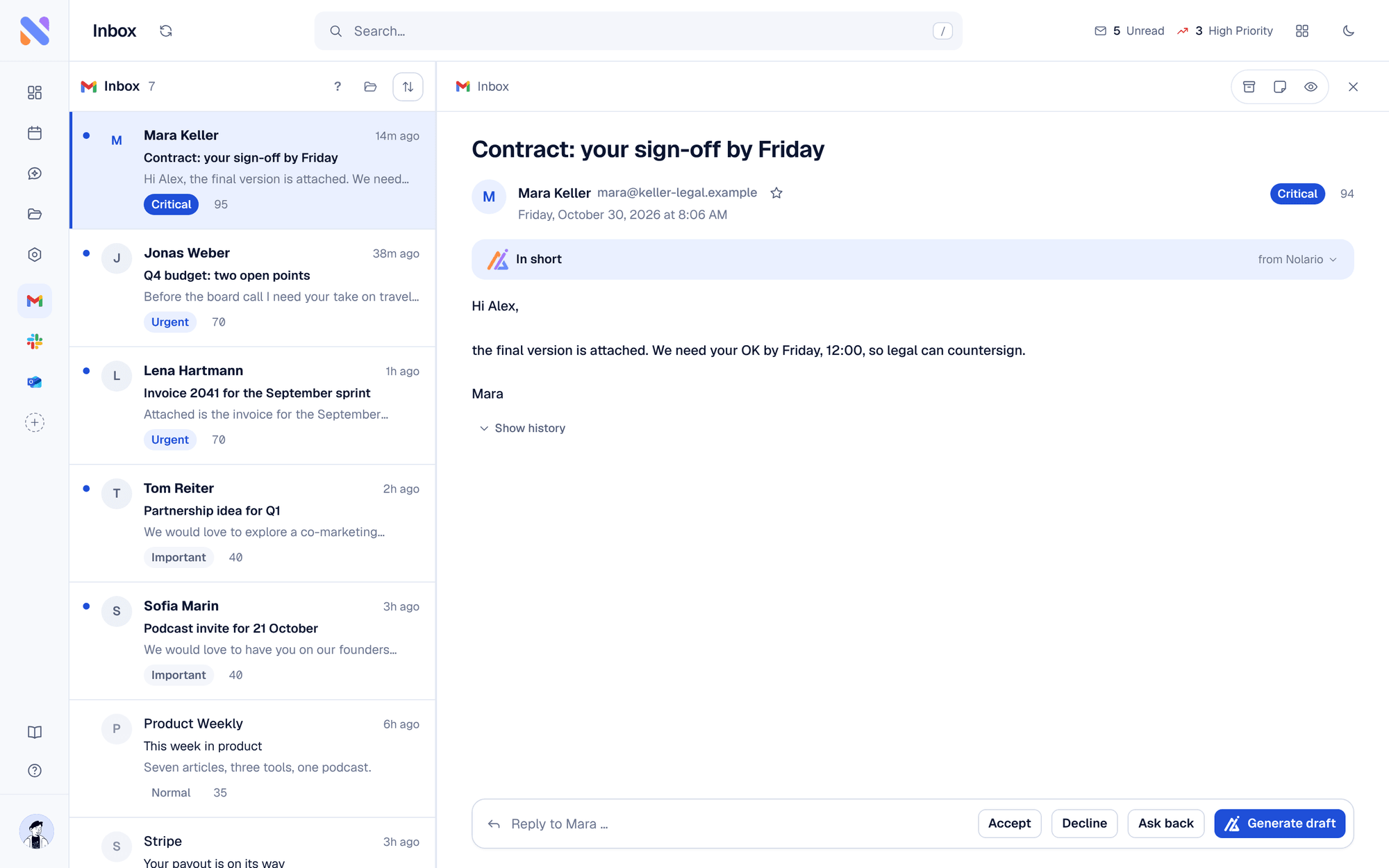
Step 1: Count your channels honestly
Write down every place a message can reach you: Gmail, Outlook, Slack, Teams, calendar invites, LinkedIn, WhatsApp, SMS. It is easy to land at six or more. That number, not your unread count, is the real source of the overwhelm, because each one demands a separate check and a separate context switch.
Step 2: Stop context-switching, start batching
Every time you flip between apps you pay a switching cost, and it compounds. Lab studies found that people lose time on every switch between tasks, and more when the tasks are complex (Rubinstein, Meyer and Evans, 2001). In a UC Irvine field study, 57% of information workers' working spheres were interrupted (Mark, Gonzalez and Harris, CHI 2005). Pick two or three windows a day for communication (say 9:30, 13:00, 17:00) and defend the gaps for real work. Turn off push notifications for everything that is not a true emergency; the point is to check on your schedule, not everyone else's.
Step 3: Trade "inbox zero" for "priority zero"
Inbox zero rewards the wrong behavior: it makes you feel productive for archiving newsletters. Founders should chase priority zero, the handful of items that genuinely needed a decision or a reply from you, handled, with everything else consciously ignored.
| Feature | Priority zero | Inbox zero |
|---|---|---|
| Optimizes for | The few things that need you | An empty inbox |
| Rewards | Judgment | Processing volume |
| Good for founders? | Yes | Rarely |
Step 4: Unify everything into one feed
You cannot prioritize across channels you check separately. The single highest-leverage move is to route every channel into one feed, so a Slack decision and an email term sheet sit in the same list and can be ranked against each other. This is the step most people skip, and it is the one that actually removes the "did I miss something?" anxiety.
Step 5: Let AI rank by importance
Once everything is in one place, add a layer that scores each item on who sent it, whether you are the decision-maker, urgency, and recency, then sorts by that. Now your first three minutes cover the three things that mattered, and the rest can wait without worry. Drafting replies in your voice then shrinks the time to actually respond.
The 30-day payoff
Run this for a month and two things change. First, you stop reflexively checking, because you trust that the important things surface. Second, you get real focus blocks back, the ones that move the company forward. The goal was never a clean inbox. It was your attention, spent on the few things only you can do.
