

Gmail's AI Inbox briefs you on one mailbox. Nolario ranks every channel you answer clients in: Gmail, Outlook, Slack, Teams and calendar. The AI Inbox sits at the top of Gmail and lists what needs action, but it is a beta that the launch reports tie to the US-only Google AI Ultra plan, and it does not reach Slack or Teams. This comparison is for founders who live in Gmail and are deciding whether that is enough.
What Gmail's AI Inbox does
9to5Google, reporting on 31 March 2026, describes AI Inbox as a personalized briefing that sits above the regular inbox. It has two lists: Suggested to-dos, for time-sensitive items such as reminders and bills, each with a link to the related email and a checkmark to complete it, and Topics to catch up on, which groups less urgent items such as events and travel planning. It is powered by Gemini 3 and runs in what Google calls an engineered privacy environment. Ubergizmo's report of 2 April 2026 adds that it is meant to complement the regular list, not replace it, and that you can turn it off in your account settings.
Who can use it today
Both launch reports say the same thing: a beta rolling out to Google AI Ultra subscribers in the US, on a plan 9to5Google prices at $249.99 a month. Ubergizmo adds that it has not yet been officially launched in international markets. When we went looking on 12 October 2026, the newest sources we could open were still from March and April, and one explainer from April names a different plan and a lower monthly price. We could not open a Google page that settles it, so treat availability as something to check in your own Gmail rather than something to plan around.
| Feature | Nolario | Gmail AI Inbox |
|---|---|---|
| Gmail | Yes | Yes |
| Outlook | Yes | No |
| Any IMAP mailbox (iCloud, Fastmail) | Yes | No |
| Slack and Teams messages in the same list | Yes | No |
| Ranked across channels by importance | Yes | No |
| Drafts replies in your voice | Yes | Not covered by the sources |
| Can send for you | No | Not covered by the sources |
| Available today | Waitlist | Beta, US, AI Ultra |
| Starting price | €29/mo (waitlist) | Part of a $249.99/mo plan |
Where Gmail's AI Inbox wins
It lives inside the product you already open, it needs no connection to a second app, and it comes from the company that runs your mailbox. If you already pay for the plan that includes it and your work is almost entirely Gmail, it costs you nothing extra to try, and you can switch it off if it is noise. Nolario does not claim to beat that for a single Gmail inbox. If one mailbox is your whole day, the simpler routine in checking Gmail, Slack and Teams in one pass or an email-only client is enough, as the comparisons in Nolario vs Superhuman and Nolario vs Shortwave also say.
Where Nolario wins
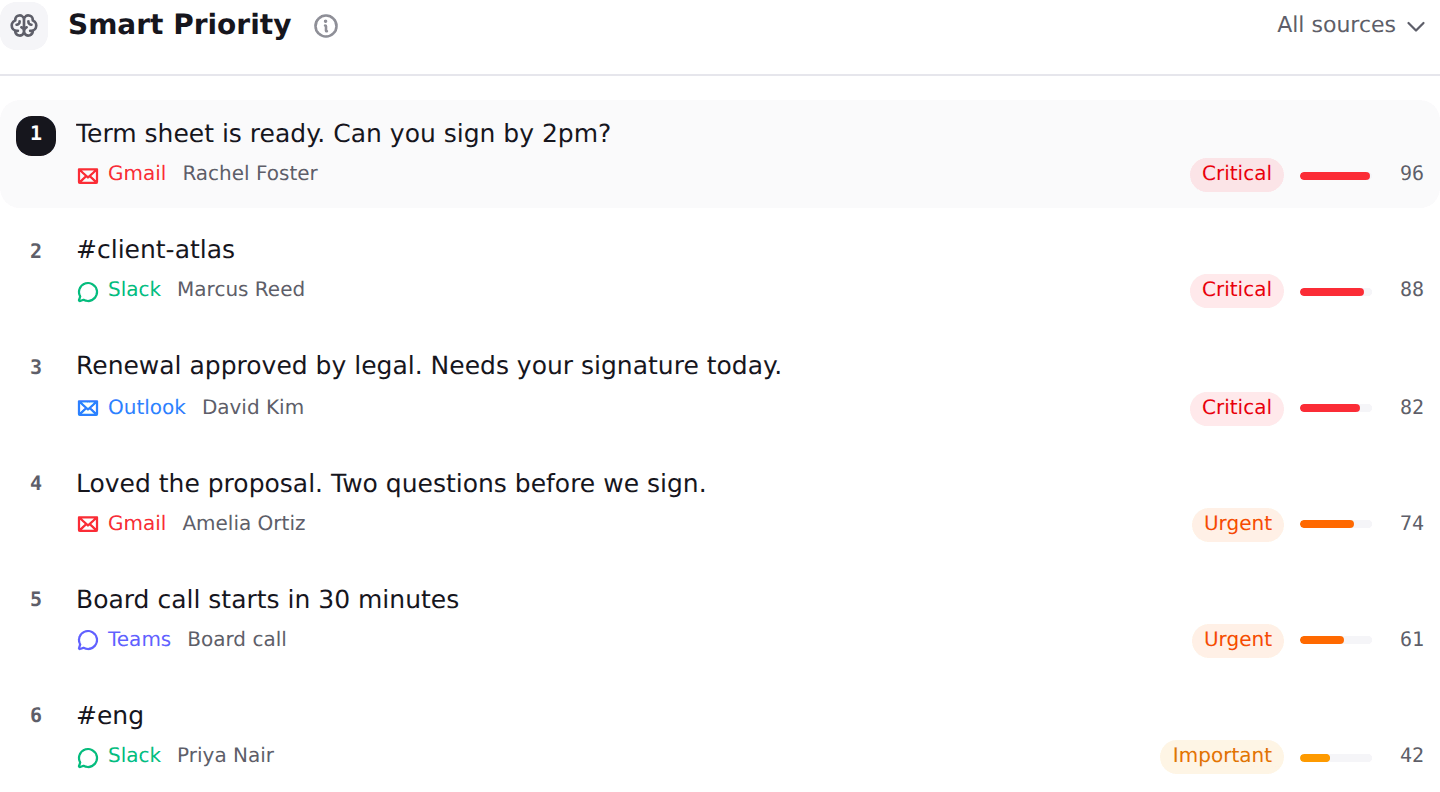
A briefing about Gmail cannot tell you that the client who matters most wrote in Slack an hour ago. Nolario pulls Gmail, Outlook, Slack, Microsoft Teams and Google Calendar into one feed, scores each item for importance and ranks the feed, so the order is by what needs you, not by where it arrived. It drafts replies in your voice and never sends one for you, and message content is scrubbed of personal data on our side before a model sees it. See the best AI assistants for Gmail, Slack and Teams and what a unified inbox is for the wider category.
It has limits. Teams chats only work for work and school accounts, because Microsoft Graph does not expose chats for personal Microsoft accounts. It is a desktop web app with no shared queue or ticket assignment, and access is by waitlist. Check the integrations and pricing pages for what is connected today.
Verdict
Choose Gmail's AI Inbox if your whole day is one Gmail account and you already have access. Choose Nolario if urgent work also reaches you in Slack, Teams or Outlook, because the question is no longer what is in this mailbox but what to answer first across all of them.
