

Akiflow and Nolario both want to protect a busy founder's day, from opposite ends. Akiflow is a time-blocking planner: you collect tasks, including ones made from emails and chat messages, and place them on your calendar. Nolario is an AI-ranked inbox: it pulls Gmail, Outlook, Slack, Teams and Google Calendar into one feed and scores each item so the one that needs you is on top. If you are looking for an Akiflow alternative that ranks incoming messages instead of scheduling tasks, that is Nolario. If you want a better calendar, stay with Akiflow.
What is the difference between Akiflow and Nolario?
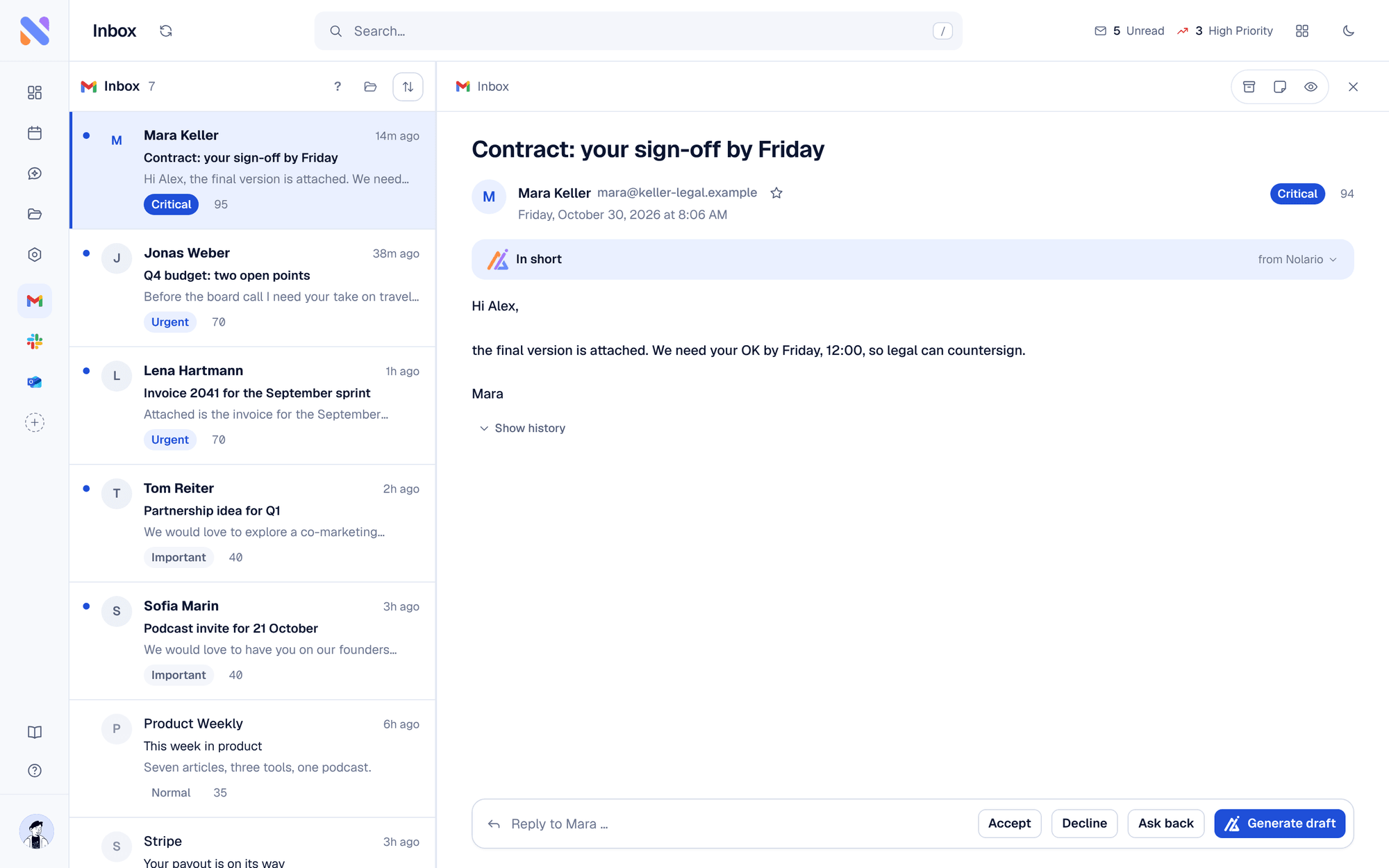
Akiflow organizes work you have already accepted; Nolario ranks work that has just arrived. Akiflow's own site describes a time-blocking planner that combines tasks, calendars and an AI assistant called Aki, with automatic time blocking and Smart Time Slots. Its integrations page says you can convert Gmail and Outlook emails, Slack messages and Microsoft Teams messages into tasks. Nolario does not ask you to convert anything. It reads the same kinds of channels, gives every message a score from 0 to 100 with the reasons visible, drafts replies in your voice and builds a morning briefing from what it found. Tasks and deadlines it extracts from mail appear next to the score.
Akiflow vs Nolario at a glance
| Feature | Nolario | Akiflow |
|---|---|---|
| Time blocking on your calendar | No | Yes |
| Gmail and Outlook email | Ranked in the feed | Email to task |
| Slack | Ranked in the feed | Message to task |
| Microsoft Teams | Work or school accounts | Message to task |
| Importance score per message with reasons | Yes | No |
| Drafts replies in your voice | Yes | No |
| Sends mail for you | Never | Not its job |
| Price (October 2026) | €29/mo (waitlist) | $34/mo, or $19/mo billed yearly |
Akiflow's prices come from its pricing page, checked in October 2026. It lists a 7-day trial that requires a card, and a separate $19 per month AI Meeting Assistant add-on for recordings and summaries. Prices may vary by country, so check the checkout for your location.
Where Akiflow is the better choice
Pick Akiflow if the thing you struggle with is turning a long list into a realistic day. Time blocking, scheduling around existing meetings and one place for tasks from many tools are its core, and Nolario has none of that. If your week is driven by tasks you create and own, a planner serves you better than a ranked feed.
Good
- Time blocking and Smart Time Slots built around your calendar
- Emails and chat messages become tasks you can schedule
- Task and project tools such as Notion, Asana, Todoist, Jira and Linear sit in the same planner
Not so good
- It does not score incoming messages for importance
- A card is required for the 7-day trial
- The AI meeting assistant is a paid add-on
Where Nolario is the better choice
Pick Nolario if the day goes wrong before you plan it: a client mention in Slack you saw two hours late, a deadline buried in a thread. Nolario puts email, chat and calendar in one feed, ranks it, and shows why each item scored the way it did. See Nolario vs Superhuman and the best AI email assistants for founders for how it compares with other inbox tools, or the best Motion alternatives if you are shopping for a planner.
Limits of Nolario, stated plainly
Nolario does not block time, schedule tasks or run a planner. It never sends a message for you; it drafts and you send. It is a desktop web app with no mobile app yet. Microsoft Teams works with work and school accounts only. Nolario is in early access. Access is by waitlist, joining the waitlist is free, and the product opens to waitlist members between May and August 2027.
Verdict
Akiflow is the better tool for planning and time blocking. Nolario is the better fit when your problem is a flood of email and chat and you need to know what matters. Nolario is our product, so weigh this comparison accordingly. See integrations and pricing for the detail.
