

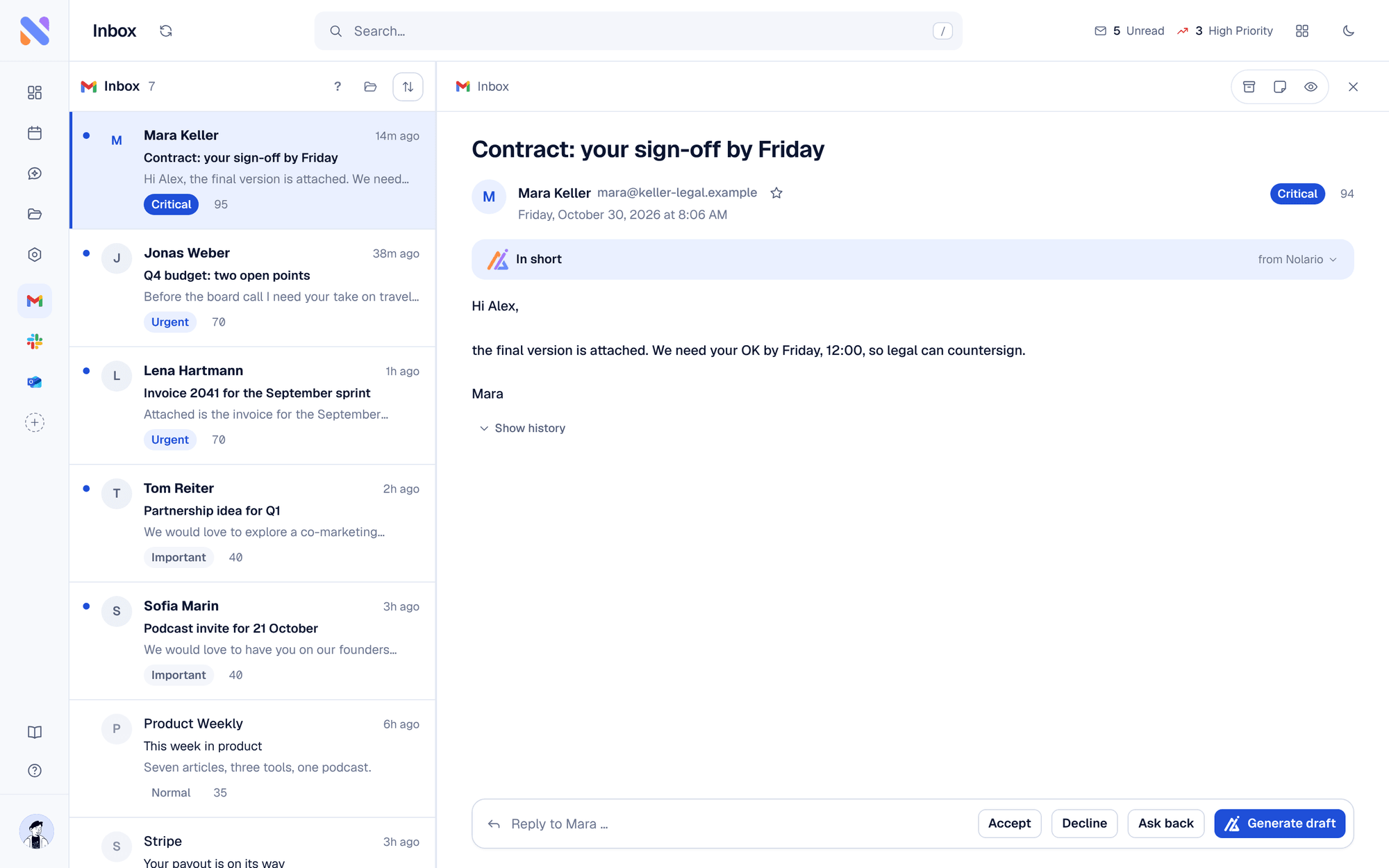
Sunsama and Nolario sit at different points in a founder's day. Sunsama is a daily planner: each morning you pull tasks from your tools into one list, size them against the hours you have and block time for them. Nolario is an AI-ranked inbox: it pulls Gmail, Outlook, Slack, Teams and Google Calendar into one feed and scores each item so the one that needs you is on top. As a Sunsama alternative, Nolario fits people whose bottleneck is incoming messages, not planning. If you want the planning ritual, Sunsama is the better choice.
What is the difference between Sunsama and Nolario?
Sunsama helps you decide what you will do today; Nolario helps you see what needs you right now. Sunsama's homepage calls it a task manager, calendar and daily planner, and describes starting each day by aligning goals, ranking tasks and setting a workload you can handle. It also names Gmail, Outlook, Slack, Microsoft Teams and calendars among the tools it connects to. Nolario reads similar sources but does something else with them: every message gets a score from 0 to 100 with visible reasons, replies are drafted in your voice, and a morning briefing opens with what needs you first.
Sunsama vs Nolario at a glance
| Feature | Nolario | Sunsama |
|---|---|---|
| Guided daily planning ritual | No | Yes |
| Time blocking | No | Yes |
| Gmail and Outlook email | Ranked in the feed | Dragged into your task list |
| Slack | Ranked in the feed | Message to task |
| Microsoft Teams | Work or school accounts | Listed integration |
| Importance score per message with reasons | Yes | No |
| Drafts replies in your voice | Yes | No |
| Sends mail for you | Never | Not its job |
| Price (October 2026) | €29/mo (waitlist) | $22/mo, or $17/mo billed yearly |
Sunsama's prices come from its pricing page, checked in October 2026: a 14-day trial with no credit card, then Pro at $22 per month billed monthly or $17 per month billed yearly. Enterprise is custom. The page says there is no free-forever plan.
Where Sunsama is the better choice
Pick Sunsama if you work best with a ritual: choose the day's tasks, check the total against your calendar, drop what does not fit, and close the day deliberately. Nolario has no such flow. Sunsama also pulls emails and Slack messages into that plan, which is the right move when you already know a message is work you will do.
Good
- A guided daily planning routine with time blocking
- Connects to Gmail, Outlook, Slack, Teams and calendars
- A 14-day trial without a credit card
Not so good
- It does not score incoming messages for importance
- Messages become tasks you triage by hand
- No free-forever plan
Where Nolario is the better choice
Pick Nolario if you cannot plan a day because you do not yet know what in your inbox and chats matters. It puts email, chat and calendar in one feed, ranks it, and shows the reasons behind each score. Related reading: Nolario vs Shortwave, best Motion alternatives and best AI email assistants for founders.
Limits of Nolario, stated plainly
Nolario is not a planner. It has no daily planning ritual and no time blocking. It never sends a message for you. It is a desktop web app with no mobile app yet, and Microsoft Teams works with work and school accounts only. Nolario is in early access. Access is by waitlist, joining the waitlist is free, and the product opens to waitlist members between May and August 2027.
Verdict
Sunsama is the better tool for a calm, deliberate daily plan. Nolario is the better fit when the problem is deciding which email or chat message matters. Nolario is our product, so weigh this comparison accordingly. See integrations and pricing.
