

The slow part of email is rarely typing, it is the blank-page pause: re-reading the thread, deciding what to say, finding the right tone. AI removes that pause by handing you a first draft to react to. Done well, it cuts reply time dramatically while still sounding like you. Done badly, it floods inboxes with bland, obviously-AI text. Here is how to do it well.
Why AI replies save time (the real mechanism)
The speed-up is not faster typing, it is skipping the decision paralysis. A blank reply box makes you compose from nothing; a solid draft turns the task into editing, which your brain does much faster. The goal is a draft that is 90% right so you only adjust the last 10%.
Step 1: Draft from the thread, not from nothing
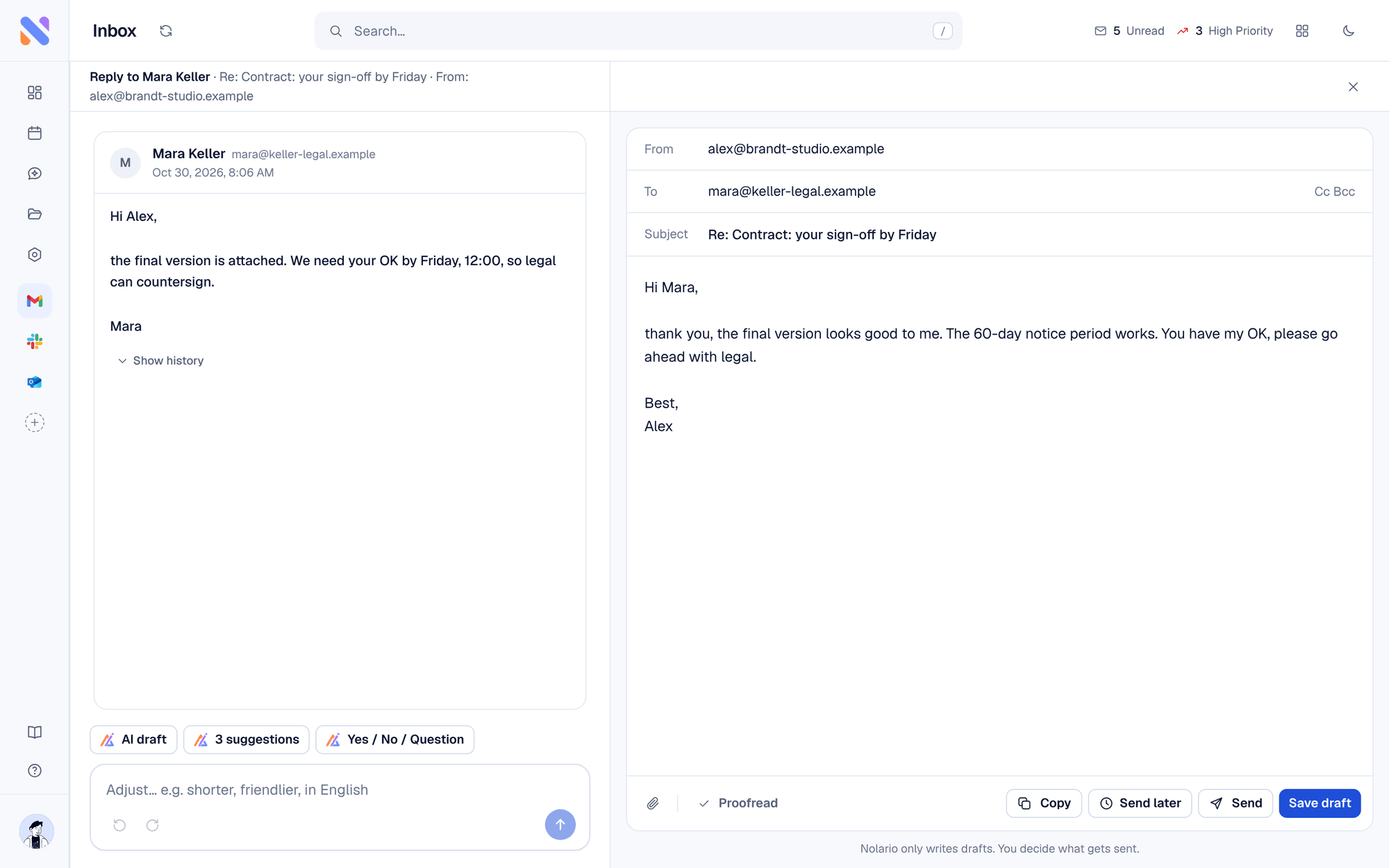
Good AI reads the whole conversation and drafts a contextual response, not a generic template. Give it a short instruction ("accept, propose Thursday") and let it write the polite, full version. You react instead of create.
Step 2: Make it sound like you
This is the difference between useful and cringe. Generic AI writes correct but faceless email. AI that has learned from your actually sent messages picks up your greeting, your typical length, whether you use exclamation marks, so the draft reads like you wrote it. Editing a voice-matched draft is quick; rewriting a robotic one is not.
The big mail apps now ship a version of this. Google says Gmail's Help me write matches your tone and style using your other emails, on eligible Workspace or Google AI plans (for personal accounts, US only). Copilot in Outlook takes the manual route: you write draft instructions describing your style, and it needs a Copilot or Microsoft 365 license.
Step 3: Summarize before you reply to long threads
For a 30-message chain, do not re-read it. Have AI summarize it to the key points and the decision needed, set your intent in one line, and draft from there. Minutes saved per thread, many times a day.
What to automate, and what not to
Good
- Draft every non-trivial reply (you edit and send)
- Auto-summarize long threads
- Use saved intents for repetitive replies (scheduling, intros, declines)
- Suggest, then let you pick a tone
Not so good
- Never blind auto-send anything that carries risk or nuance
- Do not use generic AI for relationship-sensitive replies
- Do not let drafts go out unedited to important contacts
- Do not send content to AI tools that are vague about privacy
Step 4: Keep yourself in the loop
The safe and effective pattern is simple: AI drafts, you approve. You keep the judgment and the relationship; AI just removes the blank page. That is where nearly all the time savings live, without the risk of an autonomous bot emailing your investors.
Doing it across every channel
Replies are not just email anymore, they are Slack and Teams too. Nolario drafts responses in your voice across every channel it connects, learned from what you have actually sent, and always leaves the final send to you. Same principle, everywhere you write.
